How to Write a Script for a YouTube Video with AI: Enhancing Creativity and Efficiency
Last updated on January 3rd, 2024 at 07:54 pm
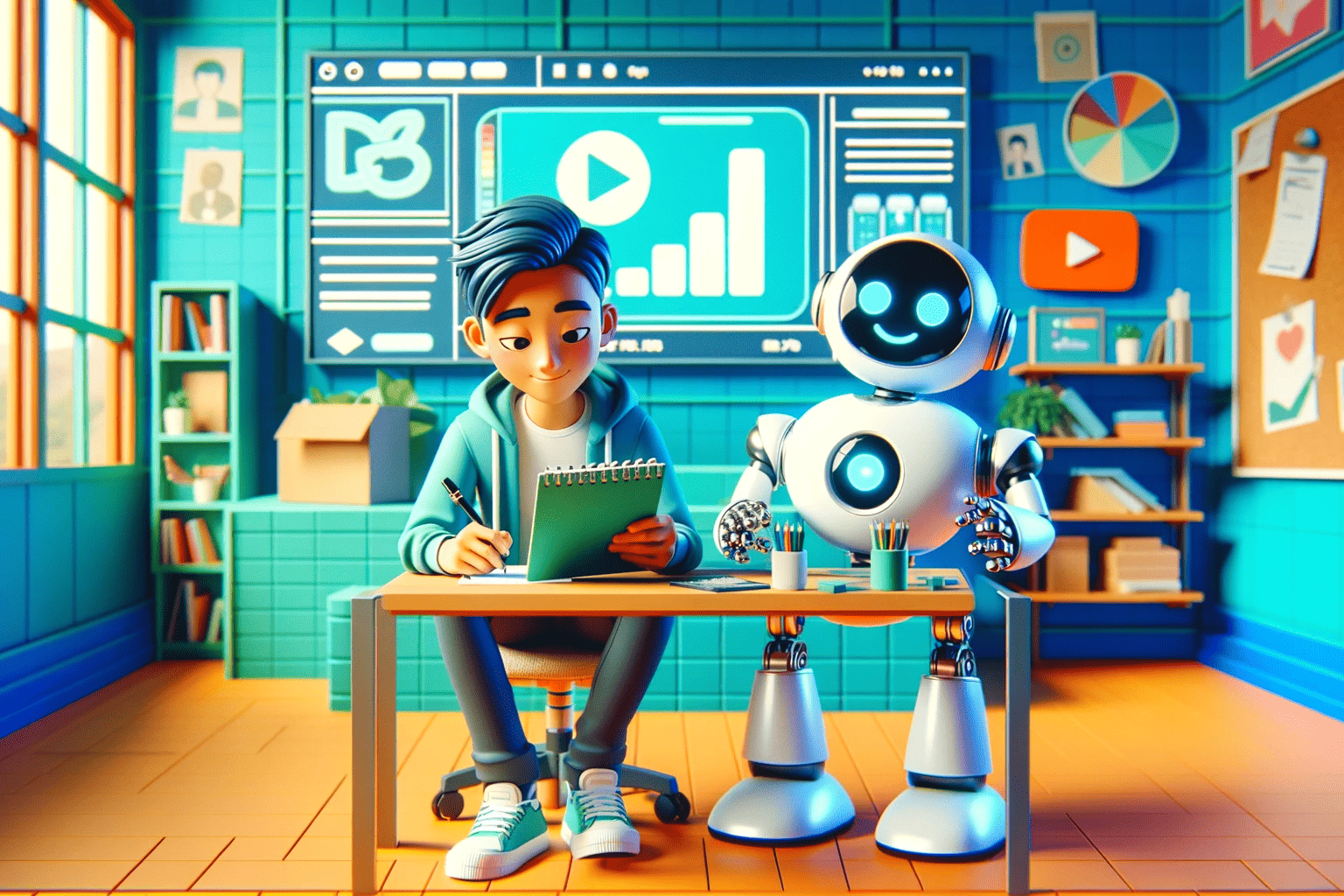
Writing a script for a YouTube video can be a challenging process that requires a good understanding of your audience and content goals. However, with the advent of AI technology, this task has become more approachable and efficient. By harnessing the power of AI, creators can streamline the scriptwriting process, from the initial brainstorming phase to the final touches before recording.
AI scriptwriting tools are designed to assist creators in developing structured and engaging content that resonates with viewers. These tools often require input such as video style, length, and content objectives to generate a base script that the creator can then refine and personalize. AI helps to bridge the gap between a creator’s vision and the final script by suggesting narratives, dialogue, and pacing that enhance viewer engagement.
Key Takeaways
- AI can streamline the scriptwriting process, making it more efficient.
- AI tools help tailor video scripts to engage the intended audience.
- Creators maintain creative control while AI provides structural support.
Understanding AI and Its Role in Video Scriptwriting
Artificial intelligence has revolutionized the landscape of content creation, especially in scriptwriting for platforms such as YouTube. AI tools leverage advanced algorithms to assist in generating engaging and relevant video scripts.
AI’s Impact on Content Creation
AI-powered script generators have introduced a significant shift in the way content creators approach scriptwriting. These AI tools analyze vast datasets to understand language patterns and storytelling techniques, providing creators with a resourceful ai writer companion. By processing inputs such as tone, style, and keywords, an AI tool can produce a draft that serves as a solid starting point for script development.
The contributions of AI in this field extend beyond mere text generation; they offer suggestions for improving narrative flow and can tailor content to target specific audiences. This not only saves time but also enhances the creative process, allowing for a more focused approach to crafting messages and stories that resonate with viewers. With the inclusion of natural language processing (NLP) and generation (NLG), an AI writer can ensure that the content is not just structurally sound but also contextually appealing.
The utilization of an AI script generator streamlines the scriptwriting workflow. Creators can iterate quickly on ideas, experimenting with different angles and narratives, all with the assistance of their AI counterpart. Consequently, artificial intelligence is not replacing the human touch in creative writing but serving as a collaborative tool that augments the writer’s capabilities.
Setting the Scene: Planning Your YouTube Video
Before creating content, it’s crucial to establish a strong foundation for your YouTube video. Good planning ensures that the video content is tailored to be engaging and effective for the intended audience.
Identifying the Purpose
Each YouTube video should have a clear objective. Whether it’s to inform, entertain, or persuade, the video’s purpose should dictate its structure, tone, and message. Identifying this early on assists in generating ideas that are coherent and targeted towards specific goals.
Understanding Your Audience
Knowing who the audience is can make or break a YouTube video. Demographic details such as age, interests, and viewing habits should influence the content and presentation style. Engaging content speaks directly to the viewer’s preferences and challenges, increasing the likelihood of better engagement.
Video Planning Strategies
When planning video content, one should outline the major points and envision the flow from start to finish. Strategies may include storyboarding or scripting key segments. For example:
- Introduction: Grab attention early with a compelling hook.
- Main Content: Deliver on promises made in the introduction with structured points.
- Call to Action: Encourage viewers to engage with the content (like, subscribe, comment).
The use of AI can streamline these strategies, providing creators with tools to analyze audience data and optimize video planning for better engagement and reach.
Developing a Script with AI: Starting Steps
When embarking on the journey of creating a YouTube script, it is pivotal to leverage the capabilities of AI to enhance efficiency and creativity. A systematic approach can facilitate the crafting of a script that resonates with your audience.
Selecting the Right AI Tool
Selecting an appropriate AI tool is the foundation for effective scriptwriting. Various AI script generators are available, offering free and paid plans. Choices range from general writing assistants to specialized video script tools. It’s crucial to choose one that aligns with your video themes and the complexity of the content you aim to produce. For instance, ChatGPT stands out as a versatile option with robust features that can be tailored for specific video genres.
Using Templates and Prompts
Using templates and prompts is a strategic method for structuring a YouTube script. Templates serve as a starting point, providing a clear outline to ensure coverage of all essential topics. For example, the Jasper AI YouTube Script Writer offers outlines aiming to capture attention early, maintain viewer engagement, and conclude with a compelling call to action. Intelligent prompts further guide the content flow, encouraging the AI to generate relevant sections, bullet points, or dialogue specifically tailored to the video’s subject matter.
Crafting a Compelling Narrative

Crafting a compelling narrative for a YouTube video is about striking a balance between informative content and engaging storytelling. The narrative should capture attention while delivering a message that is both clear and memorable.
Creating Engaging Dialogues
Engaging dialogues are the essence of a compelling narrative. They should be tailored to the audience’s interests and reflect the video’s intended tone. To write dialogues that resonate with viewers, one must understand their audience and utilize language that feels natural and relatable. The goal is to foster a connection with the audience, making them invested in the conversation.
Incorporating Humor and Emotion
A narrative enriched with humor and emotion can enhance the viewer’s engagement and make the content more memorable. However, these elements must be used judiciously to complement the video’s message. Humor can lighten the tone and make complex information more digestible, while emotional appeals can create a deeper bond with the audience.
Keeping Messages Clear and Concise
Regardless of the story’s complexity, the message should always be clear and concise. A clear and concise script avoids unnecessary jargon and sticks to the point, making it easier for viewers to follow along and retain the information. The narrative should guide viewers through the content seamlessly, ensuring that each piece of dialogue and every visual aids in conveying the central message without any confusion.
Enhancing Viewer Engagement

Engaging viewers is crucial in creating successful YouTube content. This section explores the integration of effective transitions, complementary visuals and audio, and calls to action to captivate and maintain viewer interest.
Designing Effective Transitions
Transitions serve as seamless links between different segments of a video, ensuring fluidity and retaining the viewer’s attention. They should be purposeful, neither too abrupt to startle viewers nor too prolonged to bore them. For example, a fade to black indicates a significant scene change, while a cross dissolve might signify a gentle progression of ideas. Thoughtful transition choices help viewers follow the narrative with ease.
Using Visuals and Audio to Complement the Script
Visuals and audio are powerful tools that can significantly enhance the storytelling of a YouTube video. High-quality images, infographics, and animations can illustrate key points and add depth to the content. Similarly, well-chosen music and sound effects can set the tone and emphasize messages. Both visuals and audio should align with the script to create a cohesive viewer experience.
- Visuals: Use high-resolution images, include branded animation, and employ text overlays for emphasis.
- Audio: Select background music that reflects the video’s mood and use sound effects for immersion.
Including Calls to Action
Encouraging viewers to interact with the video promotes higher engagement. Calls to action (CTAs) should be clear, concise, and placed strategically throughout the video to motivate viewers to like, share, comment, or subscribe. Phrases like “Let us know your thoughts in the comments below” or “Subscribe for more content” are direct yet inviting, prompting viewers to take the desired action.
Finalizing the Script

After using an AI script generator to draft the initial version of a script, one must refine the document to ensure it meets quality standards and resonates with the intended audience. Finalizing the script involves a thorough evaluation and careful polishing of the content.
Performing Revisions
Revisions are a critical step in transforming the initial output from the video script generator into a polished final draft. Writers should scrutinize the script for narrative flow, clarity, and relevance. It is important to review each section, making sure that transitions are smooth and that the script builds logically from one point to the next. One may need to rearrange or rewrite parts to enhance coherence and audience engagement.
- Checklist for Revisions:
- Is the opening engaging and does it clearly present the video’s topic?
- Are the main points laid out logically and coherently?
- Do the transitions between sections facilitate a smooth narrative flow?
- Has unnecessary or off-topic content been removed or rewritten?
Ensuring Language Quality
The language in a YouTube video script must be both captivating and understandable. Utilizing a language checker can help spot grammatical errors and improve readability. Additionally, one should ensure that the AI-generated content contains appropriate vocabulary and tone for the target audience. It’s important to replace any awkward phrasing and to adjust the language for consistency throughout.
- Language Quality Checklist:
- Are there any spelling or grammatical errors present?
- Is the language clear and understandable for the intended audience?
- Is the script free of awkward phrasings often associated with AI script writing?
- Does the script reflect a consistent tone suitable for the video’s purpose?
Preparing for Recording and Publication

Before pressing the record button, creators need to ensure that both their recording environment and understanding of video production elements are optimized for creating high-quality YouTube videos.
Setting Up Your Recording Environment
A well-structured recording environment is pivotal for a successful YouTube video. They should begin by choosing a quiet, controlled space with minimal background noise. Acoustic treatments, like foam panels, can be valuable in reducing echo. As for the lighting, it should be ample yet diffused to avoid harsh shadows and to flatter the subject. Creators often use a combination of natural light with artificial sources, such as softboxes or ring lights, to achieve a balanced look.
Recording equipment is equally essential, with a reliable, high-quality mic playing a significant role in ensuring clarity of voice. Camera stability can be achieved using a tripod or stabilizing equipment, which prevents shaking and contributes to the creation of a professional-looking video.
Understanding Video Production Elements
When it comes to video production elements, the knowledge of several components becomes crucial. The video should seamlessly integrate a range of elements such as audio levels, visuals, special effects, and text, among others, to inform, entertain, and engage the audience.
- Audio should be clear, at an appropriate volume, and free of distracting noises or interruptions.
- Visuals are enhanced by high-resolution footage and a consistent color palette.
- Special effects and animations, if used, need to be purposeful and enhance the storytelling without detracting from the content.
- Creators should ensure that any on-screen text is legible, with a font size and style that is easy to read and complements the video’s aesthetic.
With video content being manifold, the final product should reflect a synergetic effort between well-recorded footage and professional-grade post-production, resulting in YouTube videos that stand out.
Marketing and Distribution Insights

When crafting a script for a YouTube video, considering how the content will be marketed and evaluated post-release is crucial. By leveraging AI, one can not only create compelling content but also gain valuable insights to enhance marketing strategies and video performance analysis.
Promoting Your Video on Social Platforms
Effective promotion on platforms like Instagram and TikTok is essential for increasing the views of your YouTube video. Content creators should utilize social media tools rich in AI capabilities to streamline and optimize their marketing campaigns. These tools can help schedule posts, suggest optimal posting times, and generate hashtags that increase visibility.
- Instagram: Share teaser clips with engaging captions and direct links.
- TikTok: Create related content to drive cross-platform traffic.
Analyzing Performance and Analytics
Once a video is distributed, AI can be instrumental in analyzing performance and analytics. This involves gathering data on viewer engagement, drop-off rates, and other metrics key to understanding your video’s impact.
- View insights: Track views over time to gauge a video’s reach.
- Engagement metrics: Assess likes, comments, and shares to measure audience interaction.
By implementing these AI-driven tactics, creators can more effectively disseminate their YouTube content and assess its success with precision.
Frequently Asked Questions

In the age of YouTube content creation, AI scriptwriting tools are becoming invaluable. They offer tailored solutions that can save time and boost the creative process, ensuring scripts are engaging and platform-optimized.
What are the best AI tools available for scripting YouTube videos?
The leading AI tools for scripting YouTube videos include Kapwing’s AI Video Script Generator and vidIQ’s AI YouTube Script Generator, both designed to help creators produce effective video scripts.
Are there any free AI script writers tailored for YouTube content creators?
Creators can utilize RyRob’s Free YouTube AI Script Generator for no cost, providing a starting point for video outlines and script creation.
How can I transform my written scripts into videos using AI technology?
AI technology can be harnessed to turn scripts into videos by utilizing platforms like VEED.IO, which offers an AI Video Script Generator for a streamlined script-to-video process.
Where can I find templates to structure YouTube scripts for AI enhancements?
Templates to structure YouTube scripts for AI enhancements are available through platforms like Jasper, which features a YouTube Script Writer powered by AI, designed to help with topic focus and script formatting.
How does an AI video script generator work and where to find one for free?
An AI video script generator works by leveraging artificial intelligence to create tailored scripts based on input parameters like topics and audience. Free options like the generators from Kapwing and RyRob offer accessible services for content creators.
What opportunities exist for writers specializing in AI-driven YouTube scriptwriting?
Writers specializing in AI-driven YouTube scriptwriting have the opportunity to create dynamic, viewer-centric content. As AI tools evolve, these writers can consult and create scripts that resonate with audiences while adhering to YouTube’s best practices for engagement.