How to Create 3D Models with AI: A Step-by-Step Guide for Beginners
Creating 3D models has traditionally required considerable technical skill and expertise in complex software. But the advent of AI-powered techniques is revolutionizing how these models are made.
By utilizing artificial intelligence, it is now possible for both novices and professionals to generate detailed 3D models with less manual effort. This novel approach leverages machine learning algorithms to understand and interpret two-dimensional inputs, such as drawings or text descriptions, and transform them into 3D structures.

AI-driven 3D modeling can significantly streamline the design process, making it more efficient and cost-effective. With AI, creating high-fidelity models is no longer confined to those with years of experience in 3D software; instead, the technology opens up the field to a broader audience.
As AI tools for 3D modeling become more sophisticated, they’re increasingly able to handle not only the initial creation but also the intricate process of refining models for specific applications. Whether for entertainment, engineering, or education, the capabilities of AI in 3D modeling are expanding the horizons of what can be designed in the virtual space.
Key Takeaways
- AI-powered tools simplify the creation and refinement of 3D models.
- The technology democratizes 3D modeling, making it accessible to people with varying skill levels.
- AI in 3D modeling is continually advancing, expanding possibilities across various industries.
Understanding AI in 3D Modeling
Creating 3D models has traditionally required considerable technical skill and expertise in complex software. But the advent of AI-powered techniques is revolutionizing how these models are made.
By utilizing artificial intelligence, it is now possible for both novices and professionals to generate detailed 3D models with less manual effort. This novel approach leverages machine learning algorithms to understand and interpret two-dimensional inputs, such as drawings or text descriptions, and transform them into 3D structures.
AI-driven 3D modeling can significantly streamline the design process, making it more efficient and cost-effective. With AI, creating high-fidelity models is no longer confined to those with years of experience in 3D software; instead, the technology opens up the field to a broader audience.
As AI tools for 3D modeling become more sophisticated, they’re increasingly able to handle not only the initial creation but also the intricate process of refining models for specific applications. Whether for entertainment, engineering, or education, the capabilities of AI in 3D modeling are expanding the horizons of what can be designed in the virtual space.
Key Takeaways
- AI-powered tools simplify the creation and refinement of 3D models.
- The technology democratizes 3D modeling, making it accessible to people with varying skill levels.
- AI in 3D modeling is continually advancing, expanding possibilities across various industries.
Understanding AI in 3D Modeling
Artificial intelligence is revolutionizing the way you create 3D models, offering methods that can significantly reduce time and increase efficiency. Explore how generative AI and NLP are impacting 3D modeling and compare AI-driven approaches with traditional techniques.
Evolution of 3D Model Generation
Artificial intelligence (AI) has transformed the landscape of 3D model generation. Early stages of 3D modeling required manual input for each detail, but today, AI facilitates the creation of complex models with less effort.
Generative AI systems use input data, like photographs or text-to-3D descriptions, to produce detailed 3D models. Text-to-3D technology, a subset of Natural Language Processing (NLP), enables you to generate 3D figures from textual descriptions, making the process more intuitive and accessible.
AI vs Traditional 3D Modeling Methods
Traditional 3D modeling is a process that involves elaborate steps: sculpting models manually, texturing, rigging, and lighting. It requires a significant investment of time and expertise.
In contrast, AI enhances these processes through automation and learns from data to improve over time.
AI-enabled 3D modeling can automatically interpret design parameters and generate 3D structures, which allows for quick adjustments and iterations. It presents a method that can save you countless hours while still ensuring precise and quality output.
AI-driven methods are especially valuable when you require rapid prototyping or when dealing with large-scale projects that would be impractical to approach manually. However, remember that while AI can streamline certain processes, human oversight and creative input remain crucial to achieving the best results in 3D modeling.
Getting Started with AI-Driven 3D Modeling
Embarking on the journey of AI-driven 3D modeling requires selecting suitable tools and creating an efficient working environment. Your focus on these early decisions will significantly influence your design process and final outcomes.
Choosing the Right AI Tools
When selecting AI tools for 3D modeling, your choice should align with both your skill level and project requirements.
Beginners might prefer tools with user-friendly interfaces and straightforward text prompts, while advanced designers may opt for software offering more complex functionalities.
For instance, consider a tool like AI-generated 3D model platforms that transform simple inputs into intricate designs, easing your initial learning curve.
Setting Up Your AI 3D Modeling Workspace
Setting up your AI 3D modeling workspace involves installing the chosen software and ensuring your hardware meets the system requirements.
Organize your working environment to allow for seamless interaction with your tools.
You will need to engage with features like training datasets, which could require significant computational power, so verify that your setup is capable of handling these demands.
Creating Basic 3D Models with AI

Creating basic 3D models with AI harnesses the power of machine learning to transform your textual descriptions into tangible visual objects.
By entering simple text inputs, you can watch as AI interprets your ideas and materializes them into 3D structures with remarkable efficiency.
Understanding AI-Powered Text Prompts
When you generate 3D models with AI, text prompts play a crucial role. Consider them as the blueprint for the AI to understand your vision.
To create a basic model, construct clear and specific prompts that detail the shape, size, and key features of your desired object.
For example, specifying “Create a 3D model of a coffee mug with a cylindrical shape and a handle on the right side” gives the AI a straightforward guideline.
Remember, the accuracy of the AI’s output is directly related to the precision of your input.
Transforming Ideas into 3D Structures
To transform your ideas into 3D structures, the AI utilizes a process commonly referred to as spline modeling.
A spline is a flexible line defined mathematically, helping AI contour the shapes and surfaces of the model based on your text inputs.
Begin with an overarching idea, like modeling a simple geometric form. As you get comfortable with the spline-based tools, you can gradually incorporate more complex elements, experimenting with different parameters until you’re satisfied with the 3D representation of your concept.
Remember, patience is key as you may need to iterate on your prompts to optimize the model’s accuracy.
Refining AI-Generated 3D Models
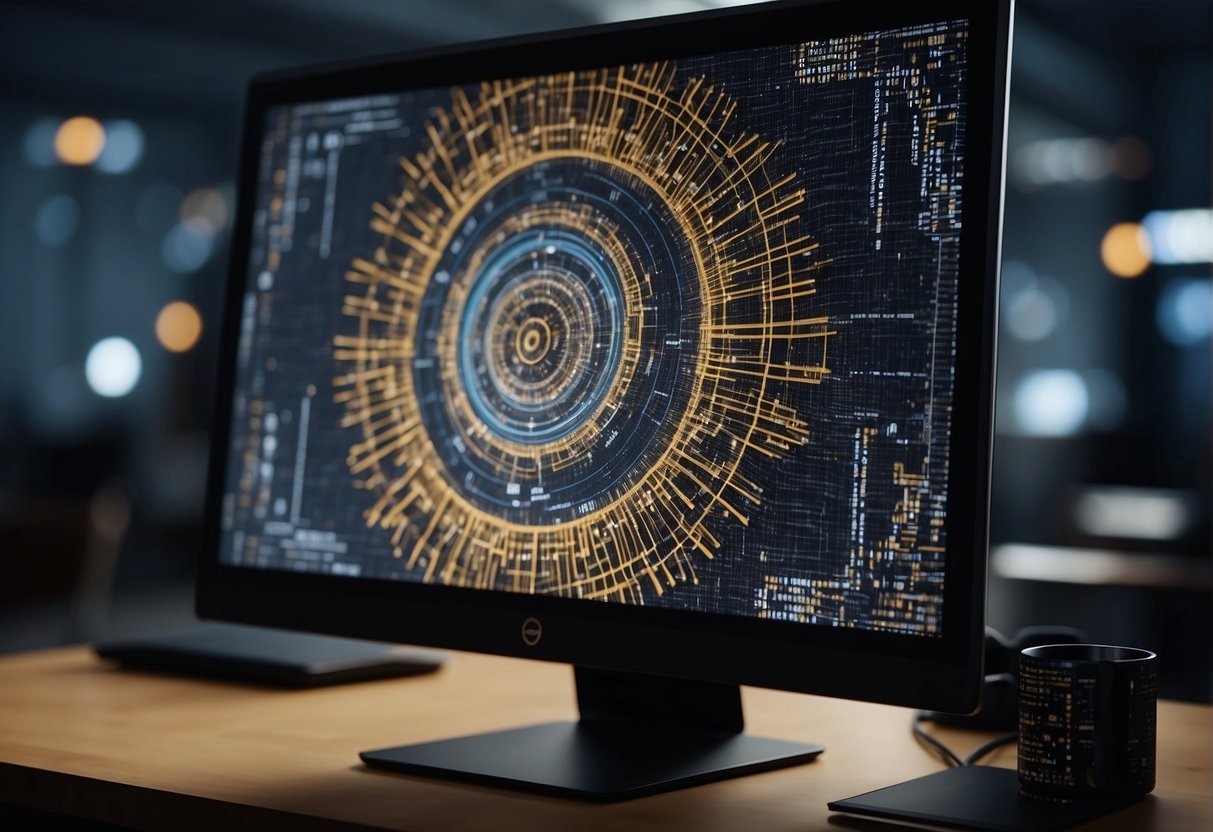
After you’ve initially created your AI-generated 3D models, refining them is crucial to ensure they meet your project’s standards. The following strategies will help you fine-tune the models for realism and function.
Editing and Optimization Strategies
To enhance the performance of AI-generated 3D models, you should pay attention to geometry and topology.
Reducing the number of polygons in your model without compromising the details leads to optimization. There are tools like mesh decimation algorithms that can assist you in this process.
- Balance detail vs. performance: Aim for the lowest polygon count that maintains the desired level of detail.
- Remove hidden elements: Delete any parts of the model that are not visible to the viewer to save on resources.
Enhancing Textures and Lighting
Textures add the much-needed detail and realism to your 3D models, giving them a lifelike appearance.
When refining textures, ensure they are:
- High resolution where it counts: Apply higher-resolution textures to parts of the model that are focal points.
- Consistent: Maintain texture resolution consistency to prevent a patchwork appearance.
Improving lighting can dramatically affect how your 3D model is perceived. You’ll want to:
- Use dynamic lighting for realism: This allows the model to cast and receive shadows based on light sources, which enhances depth.
Advanced AI 3D Modeling Techniques

AI has revolutionized the field of 3D modeling by introducing advanced techniques that cater to both efficiency and detail. As you navigate the landscape of AI-driven 3D design, you’ll encounter powerful tools designed to create complex models with minimal effort.
Spline AI and Mesh Manipulation
Spline-based AI systems greatly enhance your ability to craft detailed mesh structures with precision. Unlike traditional modeling that requires manual vertex editing, spline AI allows you to define a path for your mesh through algorithmic means.
- Efficiency: Spline AI automates the tedious process of node alignment and edge flows.
- Precision: Gain fine control over the topology for optimized and smooth surface details.
When implementing spline AI in your 3D design workflow, consider these points:
- Vector placement: Carefully position your start and end vectors to guide the AI.
- Curve adjustments: Use handles to refine the spline curve for accurate mesh generation.
- Parameter settings: Customize settings such as spline tension to affect mesh tightness.
Natural Language Interfaces for Complex Models
The integration of natural language processing with 3D modeling AI brings a new layer of interaction.
You can now articulate complex design requirements through simple text commands, which the AI translates into intricate 3D models.
- Accessibility: Describing models in words makes 3D design approachable for non-specialists.
- Expression: Articulate nuances like “ornate” or “sleek” to guide the AI’s creative output.
To use natural language interfaces effectively:
- Be descriptive: The more detailed your language, the better the AI can interpret your vision.
- Iterate: Fine-tune your model by refining your textual instructions based on initial outputs.
Applications of AI-Generated 3D Models
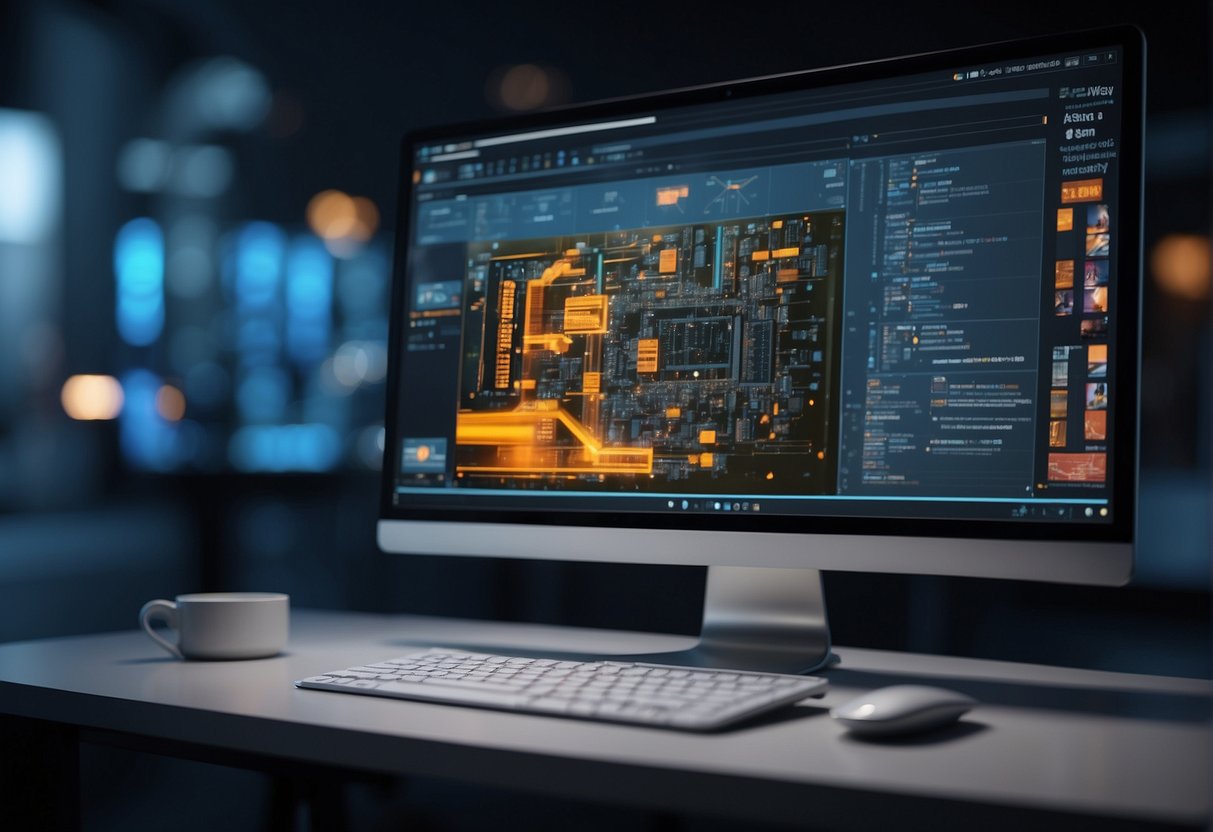
AI-generated 3D models are revolutionizing various industries by streamlining the creation process of complex 3D content. Your venture into these applications opens up innovative vistas to enhance user experience and expedite project development.
Gaming and Animation
In gaming, the integration of AI-generated 3D models enables the rapid production of diverse environments and characters. This enriches the gaming universe with intricate levels and lifelike avatars. Precise texturing and animation are crucial elements here, giving a realistic touch to each virtual experience.
For animation, AI hastens the transformation of storyboards into animated scenes. This provides you with tools to breathe life into your narratives effortlessly. The characters and scenes you envision can now be realized with greater fidelity and less manual intervention.
Architecture and Real Estate
In architecture, these models simulate realistic environments and architectural structures. They allow you to visualize and iterate designs before any physical construction begins. Such applications serve as powerful tools for architects to convey their concepts and for real estate agents to showcase properties.
AI streamlines the creation of virtual tours and interactive 3D assets. Potential buyers and investors gain a tangible sense of space and design, facilitating informed decision-making from anywhere in the world.
E-commerce and Online Retail
For e-commerce and online retail, AI-generated 3D models are revolutionizing product displays. You can now offer customers a more immersive shopping experience by presenting products in three dimensions. This type of visualization allows for a detailed examination of objects from all angles, fully capturing the look and essence of the products.
Implementing 3D models for your online store not only elevates the user experience but also provides an edge in the highly competitive digital marketplace. Interactive models can lead to better customer engagement, potentially boosting sales and conversion rates.
Collaboration and Sharing of 3D Models

In the age of digital art, collaboration and sharing are cornerstones that leverage AI’s capabilities to enhance 3D modeling. As you harness the power of AI, understanding the nuances of integrating models into game engines and the tools that facilitate sharing among artists is crucial.
Integrating AI Models into Game Engines
Integrating AI-generated 3D models into a game engine is a seamless process that often involves exporting models in formats compatible with the engine you’re using. For instance, when working with Unity, you might export your models as .fbx or .obj files optimized for real-time performance. Similarly, Unreal Engine’s robust framework supports high-fidelity visuals and detailed models, ideal for the richer textures and geometries that AI can produce.
- Step 1: Export your AI models in a game engine-compatible format.
- Step 2: Import the models into the game engine.
- Step 3: Adjust materials, textures, and lighting within the engine to bring your 3D models to life.
Sharing and Collaboration Tools for 3D Artists
As a 3D artist, you thrive on collaboration, and today’s tools are designed to keep you and your teammates connected. Platforms for real-time collaboration, like Luma AI, offer ways to not only create 3D models from live feeds or text but also work together on projects from different locations.
- Real-Time Edits: Adjust and edit 3D models simultaneously with other artists.
- Feedback Loop: Share your work with the community and receive immediate input.
- Version Control: Keep track of changes and revert to previous versions, if necessary.
The Future of AI in 3D Modeling

As you move forward in the 3D modeling landscape, it’s crucial to acknowledge the profound influence of artificial intelligence. Your approach to design and creation will be reshaped by AI-powered tools, bringing efficiency and innovation to the forefront.
Trends in AI-Driven Design Software
AI-driven design software is on the brink of revolutionizing how you create and manipulate 3D models. Game developers and graphic designers are witnessing a paradigm shift towards automation in design. Software such as Toggle3D is designed to simplify 3D design, allowing users with minimal experience to produce professional-quality 3D models.
This trend is fostered by AI’s ability to understand and interpret human input, translating it into complex 3D shapes and environments. For you, this means a significant reduction in both time and labor-intensive aspects of 3D modeling, providing the freedom to focus more on creativity and less on technicalities.
Impact on Professional Designers and Artists
Your role as a professional designer or artist is set to evolve due to AI’s expanding capabilities. Tools equipped with artificial intelligence are poised to assist you in pushing the boundaries of innovation.
For instance, the application of generative design by AI provides the ability to produce a wide array of design variations, enabling rapid exploration of possibilities. This not only speeds up the design process but also provides an expansive canvas for your creativity.
By embracing these future trends, you will find yourself at the vanguard of design, equipped to meet demands for high-quality, intricate 3D models with efficiency and precision. Leveraging AI isn’t about replacing the designer; it’s about augmenting your skills and expanding the horizon of what’s possible.
Leveraging Community and Resources

As you embark on creating 3D models with AI, tapping into vibrant communities and extensive resources can extraordinarily accelerate your learning curve and improve your results.
Online Platforms and Forums
Discord Servers:
- AI Art Communities: Join servers dedicated to AI and 3D modeling to exchange ideas and get feedback on your work.
- Supportive Networks: Access a network of peers and professionals who are eager to share their experience and insights.
Forums:
- Specialized Forums: Websites like Meshy are invaluable for discovering new techniques and staying up-to-date on AI-generated 3D modeling.
- Interactive Q&A: Engage in discussions, ask questions, and get immediate answers from community members.
Learning Resources and Tutorials
Online Courses and Guides:
- Utilize comprehensive tutorials on platforms like NVIDIA’s blog which detail how to generate 3D assets with AI.
- Pursue structured online courses that offer step-by-step instruction, maximizing your understanding and competency in 3D modeling.
Video Tutorials:
- Explore video resources, including hands-on walkthroughs and detailed explanations on channels like YouTube, for practical insights.
Navigating Challenges in AI 3D Modeling
Creating 3D models with AI involves more than just generating images; it requires addressing both technical and ethical challenges, as well as optimizing the models to function across various applications.
Technical Limitations and Ethics
Technical Limitations: You may encounter limitations in computational requirements and data quality when creating 3D models with AI. High-performance computing power is essential to process complex algorithms, and without it, your ability to create detailed models could be restricted.
Furthermore, AI models rely on extensive and varied datasets to learn and improve. Insufficient or biased data can impair the accuracy and quality of your 3D models.
- Ethics: The use of AI in 3D modeling raises ethical concerns. You need to consider the implications of data privacy, especially when personal data is used to create models. Additionally, you must ensure that the AI-generated models do not propagate biases or misrepresentations which could have social ramifications.
Optimizing Models for Different Uses
-
Optimization: To achieve the best results, you’ll need to fine-tune your AI-generated 3D models for their intended use. For instance, models for video games require optimization for real-time rendering, while those for medical simulations may prioritize anatomical precision.
-
User Experience: A deliberate approach to optimizing 3D models can greatly enhance the user experience. Your models should balance complexity and usability to ensure they serve their intended purpose without overwhelming the user or the system they are used on.
Preparation for AI 3D Model Generation
Before starting your journey into AI-generated 3D models, thorough preparation is crucial. It ensures a streamlined process and better end results. Focus on organizing your project and gathering all necessary inputs and references to guide the AI in producing accurate models.
Organizing Your Project
To set your project up for success, it’s essential to define your goals and establish a clear structure. Begin by:
- Creating a project folder: Make a dedicated folder on your computer or cloud storage for all project-related files.
- Setting up subdirectories: Organize your reference materials, training data, and output files into separate subdirectories for easy access and management.
Gathering Inputs and References
The quality of your AI-generated 3D model heavily depends on the inputs and references you provide. Take these steps to ensure you have a solid foundation:
- Collect high-quality images: The resolution and quality of images used for training the AI are paramount. Gather various angles of the object or scene you wish to model.
- Drafting text descriptions: If your AI tool supports text-to-3D generation, prepare detailed descriptions that accurately depict your desired outcomes.
Compiling detailed and varied reference materials assists the AI in learning and recreating the intricacies of your projects, be they intricate designs or realistic models.
Implementing AI in Various Industries
With advancements in artificial intelligence (AI), you can dramatically streamline the creation of 3D models across various sectors. AI applications facilitate enhanced detail, faster production times, and reduced costs, influencing how numerous industries approach 3D modeling.
Video Games and Interactive Media
In the realm of video games and interactive media, AI-generated 3D models have become a game-changer. AI tools, like Nvidia’s GET3D, are pivotal in converting 2D images into high-quality, textured 3D shapes. This enhances the realism and immersive quality of gaming environments.
These tools allow you to generate complex, detailed assets efficiently.
Film and Concept Art
For the film industry and concept art, AI expedites the transformation of visions into visual artifacts. Rapid prototyping of set designs and characters is possible using AI, which interprets 2D art into 3D models for evaluation and further development.
This can assist you in visualizing the end product early in the production process. It also helps in fine-tuning aesthetics before the extensive commitment of resources.
Manufacturing and Prototyping
In manufacturing and prototyping, the use of AI to generate 3D models signifies a jump towards better resource management and precision. Through AI, such as the services explained by Alpha3D, your designs can move rapidly from concept to physical prototype.
This functionality significantly cuts down the time and expense traditionally associated with manual 3D modeling. As a result, it offers you the ability to iterate designs with greater agility and less investment.
Exploring Different AI 3D Modeling Tools
When looking to create 3D models with AI, the software you choose can greatly impact the quality and efficiency of your work.
Comparison of Popular Software
- 3dfy Prompt: This tool stands out for its capability to generate 3D objects from textual descriptions, giving you a unique way to turn your ideas into tangible models.
- Rodin: Known for its user-friendly interface, Rodin allows for rapid prototyping and iteration, which can be particularly useful for beginners or those needing quick results.
- Meshcapade: If accuracy in human body modeling is a requirement, Meshcapade leverages advanced AI algorithms to deliver highly precise results.
- Luma AI: For those interested in capturing real-world objects and integrating them into digital projects, Luma AI offers the ability to do exactly that with notable ease.
| Software | User-friendly | Text to 3D | Real-world Capture | Precise Human Models |
|---|---|---|---|---|
| 3dfy Prompt | Moderate | Yes | No | No |
| Rodin | High | No | No | No |
| Meshcapade | Moderate | No | No | Yes |
| Luma AI | High | No | Yes | No |
Choosing Tools Based on Project Needs
Project Scope & Precision: If your project involves human figures and requires meticulous anatomical details, consider tools like Meshcapade. For broader creative explorations, 3dfy Prompt’s text-to-3D capability could be invaluable.
Real-World Integration: Should you need to incorporate real-world objects into your models, Luma AI has the capabilities to streamline this process. Understand that the chosen tool should align closely with both your project requirements and your workflow preferences.
Enhancing 3D Models with AI
When you engage in 3D modeling enhanced by AI, you can achieve higher levels of detail and texture sophistication, as well as benefit from real-time simulation feedback. AI enables the creation of detailed textures and complex simulations, transforming your 3D models into lifelike representations.
Detailing and Complex Texturing
AI has revolutionized the process of adding intricate details and complex textures to 3D models. By utilizing algorithms that can analyze and replicate patterns, AI empowers you to produce seamless textures that significantly heighten the realism of your creations without the tedium of manual detailing.
Advanced AI tools facilitate the generation of high-resolution textures from low-resolution images or even text descriptions, ensuring that every surface of your model conveys depth and authenticity.
- AI Textures: AI can synthesize high-quality textures, matching the desired feel and appearance.
- Seamless Integration: AI-assisted texture mapping seamlessly blends textures, removing visible seams or inconsistencies.
Simulation and Real-Time Feedback
Integrating AI into the simulation process enables you to receive real-time feedback on the physical properties and behaviors of your models. This immediate insight helps in refining your designs and achieving a more realistic interaction within the virtual environment.
AI algorithms can predict and display how your models will react to various forces, like gravity or collisions. This streamlines the simulation phase and significantly reduces iteration time.
- Physics Simulation: AI can accurately simulate environmental interactions affecting your 3D models.
- Real-time Interaction: Modify and tweak your models and immediately see changes thanks to AI’s real-time processing capabilities.
From 2D to 3D: AI Conversion Techniques
Creating three-dimensional models from two-dimensional sources has become more efficient with AI technologies. These techniques allow you to transform 2D images and videos into detailed digital assets with depth and volume.
Image-to-3D Conversion
When converting 2D images to 3D models, AI algorithms play a crucial role in interpreting and reconstructing depth. Software solutions like Meshy take an input image and extrapolate the z-dimension, creating a digital asset that can be rotated and viewed from various angles.
AI leverages techniques such as photogrammetry, where multiple 2D images captured from different angles around an object are used to reconstruct a 3D model. The process involves intricate pattern recognition, stitching, and texture mapping, which some AI tools achieve remarkably well.
Video-to-3D Transformation
With video-to-3D transformation, the continual frame-by-frame nature of video is utilized by sophisticated AI systems to produce dynamic 3D models.
This process considers the movement and varying perspectives shown in the video to build a model that captures the subject in motion. The output is often a more comprehensive representation due to the additional data provided by the video’s temporal dimension.
Customization and Personalization with AI
The introduction of AI in 3D modelling has revolutionized the way you can approach customization and personalization, allowing for more tailored and unique creations than ever before.
The Role of AI in Custom-Made Models
AI technologies have a significant impact on customization in 3D modeling. They analyze your preferences and previous design behaviors to offer personalized templates and suggestions.
Employing AI, you can create models that are intricately customized to specific requirements, whether for personal enjoyment or professional projects.
These AI-generated models can adapt to various needs, providing a level of personalization previously unattainable.
Using AI Randomizers for Unique Designs
Randomizers in AI are tools that generate unpredictable yet coherent variations, enhancing the originality of your designs.
When you use an AI randomizer, it creates serendipitous elements in your 3D models, ensuring that each piece stands out.
This feature is particularly useful when you require a set of unique designs, like assets for game environments or collections of items for virtual markets.
The AI’s randomizing algorithms can surprise you with novel and unexpected design elements, pushing the boundaries of AI-generated creativity.
Scaling AI 3D Modeling Projects
When undertaking AI 3D modeling at scale, you need to focus on efficient management of large-scale models and streamlining your workflow for maximum efficiency.
Managing Large-Scale Models
To manage large-scale AI-generated models effectively, you must prioritize organization and timely updates.
Use project management tools to keep track of the different components of your 3D models. By setting clear milestones and using version control systems, you ensure that large-scale projects stay on course and that updates are seamlessly integrated.
Additionally, consider implementing automated quality checks to identify errors early, saving you time in the long run.
Efficient Workflow Tips
Efficiency in your workflow is crucial when scaling AI 3D modeling projects. Here are ways to boost your productivity:
- Modular Design: Break down your AI models into reusable components. This allows for easier updates and scalability.
- Batch Processing: Group similar tasks and run them concurrently to reduce the time spent on repetitive processes.
- Leverage Tools: Utilize AI optimization tools to streamline the creation process.
- Collaborative Approach: Collaborate across teams using shared online platforms to ensure everyone is aligned and can contribute simultaneously.
Integration with Emerging Technologies
Emerging technologies like Virtual Reality (VR), Augmented Reality (AR), and 3D printing are rapidly evolving. Your ability to leverage AI in these domains could redefine the scope and efficiency of 3D model creation.
AI in Virtual and Augmented Reality
In the realms of VR and AR, AI plays a pivotal role in elevating the user experience.
For instance, AI algorithms can fine-tune virtual environments to your specific preferences, creating more engaging and personalized simulations.
When creating 3D models for VR, AI assists by automating the design process, hence reducing the time from concept to virtual prototype. In AR, AI enhances object recognition, allowing remarkable precision and interactivity with real-world surroundings layered with digital content.
3D Printing with AI-Generated Models
3D printing thrives on the intricate designs that AI-generated models provide.
These models can be optimized by AI for structural integrity and resource efficiency, making your print jobs more sustainable and cost-effective.
AI serves a critical function in examining the 3D printability of designs, and accordingly adjusting meshes and support structures to ensure a high success rate for prints.
Moreover, advancements in generative design algorithms offer potential for you to quickly explore numerous design variations tailored for 3D printing capabilities.
Optimizing Workflow with AI Assistants
AI assistants are revolutionizing the way you create 3D models by automating routine tasks and enhancing design efficiency. By offloading certain processes to AI, you can focus on the creative aspects of 3D modeling.
Automated Tasks and AI Assistance
-
Task Scheduling: AI can prioritize tasks based on complexity and deadline, ensuring that your workflow remains efficient and manageable.
-
Material and Rendering Adjustments: AI assistants can automatically make changes to lighting, textures, and materials, helping to achieve the desired look with greater speed.
-
For instance, companies like NVIDIA Omniverse are using AI to transform 3D pipelines.
-
Error Detection: Automation includes identifying and correcting errors in real-time, which can drastically reduce manual quality assurance time.
Through automation, your workflow becomes streamlined, allowing for quicker turnarounds and improved accuracy.
Improving Design Efficiency with AI
-
Prototype Generation: AI can quickly generate multiple design iterations, offering you a robust set of options to refine and enhance.
-
Real-time Feedback: AI tools provide immediate feedback on design choices, enabling on-the-fly adjustments that can normally be time-consuming.
Using AI to automate and refine the design process results in a more efficient workflow, giving you more time to innovate and elevate your 3D models.
Tools like those available on the Autodesk platform are examples of integrating AI to enhance design efficiency.
With AI assistance, your focus can remain on the creation and intricacies of your 3D models while the mundane and repetitive tasks are handled by your AI counterparts.
Marketing and Presenting AI-Generated Models
As you venture into the world of AI-generated 3D models, it’s crucial to understand how to effectively market and showcase these models to captivate your audience. Proper presentation and innovative marketing of your product models can significantly enhance the impact of your visualizations and campaigns.
Creating Compelling Product Visualizations
To make your AI-generated models shine in product visualizations, focus on high-quality rendering.
You should aim for sharp details and realistic textures that can make your models virtually indistinguishable from real-world objects.
Employ advanced rendering techniques that allow for dynamic lighting and shadows, giving a sense of depth and realism to your visualizations.
For example, you can turn to solutions like Meshy that provide the tools to elevate your models to a professional standard.
Leveraging 3D Models for Marketing Campaigns
Incorporating 3D models into your marketing campaigns can be a game-changer.
Use these models across various platforms, from social media to digital ads, providing interactive and engaging content for your audience.
For captivating campaigns, create animated sequences of your models to showcase functionality or use them in interactive experiences such as AR applications where potential customers can visualize your product in their own space.
Resources like Masterpiece Studio can help transform your descriptive language into animated 3D models perfect for your next campaign.
Building an AI 3D Modeling Portfolio
Creating a compelling AI 3D modeling portfolio is a crucial step in showcasing your best work and attracting prospective clients. Your portfolio is a reflection of your expertise and creativity in using AI to generate stunning 3D models.
Showcasing Your Best Work
Your portfolio should be a carefully curated collection of your most impressive projects.
Begin by selecting a variety of AI-generated 3D models that display a breadth of skills and versatility. Include:
- High-quality images: Provide vivid, high-resolution renderings of your 3D models.
- Project descriptions: Briefly describe the AI tools and techniques used to create each model.
- Process highlights: Mention any unique challenges overcome or innovations you implemented.
Make every project count; your portfolio represents your pinnacle achievements.
Attracting Clients with AI-Enhanced Models
To turn heads and pique the interest of potential clients, ensure that your AI-enhanced 3D models speak to the needs of various industries. Consider these pointers:
- Tailored content: Align your showcased models with the market segment you’re targeting, whether it’s gaming, architecture, or product design.
- Demonstrate utility: Exhibit how AI-generated models save time and add value through features like rapid prototyping or real-time rendering.
- Contact Information: Clearly display your contact information, making it easy for clients to reach out for collaborations or inquiries.
Best Practices for AI 3D Model Creators
Creating 3D models with AI requires adherence to certain best practices to ensure quality and foster continuous improvement. By focusing on industry standards and committing to skill development, you enhance both your work and your professional growth.
Industry Standards and Quality Assurance
Adopt Industry Standards: Ensure that your AI-generated 3D models follow industry-standard file formats, such as .OBJ or .FBX, to guarantee compatibility and ease of use across various platforms.
- Quality Assurance Protocols: Regularly validate your models for errors using automated tools and manual inspections.
-
Perform these checks at multiple stages:
- Pre-training of your AI.
- Post-training before fine-tuning.
- After optimization to ensure the final model meets the desired accuracy and detail.
Utilize Professional Feedback: Engage with industry professionals to get feedback on your models. Their insights can guide you to meet professional expectations and client needs.
Continuous Learning and Skill Development
Embrace Learning: Stay updated with the latest AI technologies and techniques by taking courses, attending workshops, or reading recent publications.
- Skill Enhancement: Allocate time for hands-on projects to apply new knowledge.
-
Experiment with different AI tools that can improve your workflow, such as those that specialize in AI-generated 3D models.
Collaboration in the AI Modeling Community
AI-driven 3D modeling is a rapidly evolving field where collaboration is as important as the technology itself. Engaging with online communities and exploring networking opportunities can significantly enhance your skills and the quality of your models.
Engaging with Online Communities
- Utilize Forums and Discussion Boards: Regularly visit and contribute to forums where AI modeling is a hot topic. Sites like Medium serve as valuable resources for getting insights from professionals and hobbyists alike.
- Participate in Social Media Groups: LinkedIn and Facebook have groups dedicated to AI and 3D modeling.
-
Your active participation in these groups may lead to new techniques and workflows that can revolutionize your approach.
Networking and Collaboration Opportunities
- Attend Industry Conferences: Keep an eye out for AI and tech conferences, as they are excellent platforms for networking.
-
You never know when a conversation might turn into a collaboration that could be featured on platforms like Lablab.ai.
- Collaborate on Projects: Engage in community projects or challenges, which are often shared on websites like 3daily.ai.
-
This can be your opportunity to work with others who are also looking to push the boundaries of AI in 3D modeling.
Preparing for the Future of AI in 3D Design
As artificial intelligence (AI) continues to evolve, preparing for its integration into 3D design becomes crucial. Gaining an edge requires staying informed on technological advancements and adapting with flexibility to industry shifts.
Staying Ahead of Technological Advancements
To thrive in a landscape where AI is a pivotal force in 3D modeling, your awareness of the latest technology is key.
Advance your skill set by familiarizing yourself with tools that leverage AI for generative design, where algorithms can propose complex and efficient structures.
For instance, engaging with platforms that facilitate training your AI model can ensure that the models you create are up-to-date with current capabilities.
Continuous learning through online courses or workshops can help you maintain a competitive edge.
Adapting to Industry Changes with Flexibility
Flexibility in professional practice involves expecting change and adjusting strategies accordingly.
As AI transforms 3D modeling, stay adaptable by exploring how various industries apply AI and generative design to innovate.
This might include adapting existing methodologies to fit new AI-driven paradigms or reassessing your approach to project workflows.
Adaptation is not a one-time effort but an ongoing process that equips you to respond to new demands and opportunities with confidence.
Exploring the Ethics of AI in 3D Modeling
When venturing into the world of AI and 3D modeling, it’s imperative that you are aware of the ethical considerations and the responsibility accompanying the use of AI in the creative process.
Ethical Considerations in AI Art Creation
Transparency is crucial when it comes to AI-generated art. You should always be forthright about the use of AI in your work.
This is essential for maintaining integrity in the art community and for the consumers who have a right to know the origins of the artwork they appreciate or purchase.
Intellectual Property Rights also play a significant role.
AI often relies on existing data, which may include copyrighted or trademarked material.
As you train your AI models, it’s your responsibility to ensure that the data used does not infringe upon the works of others.
Responsible Use of AI in 3D Design
Data Privacy must be taken seriously.
If your AI model uses personal data to create or inform designs, you must handle this data with care, respecting the privacy and rights of individuals whose data might be involved.
In terms of application, using AI responsibly in 3D design means acknowledging the potential impact on employment.
The increasing efficiency and capability of AI can lead to a reduced need for manual modelers.
However, your goal should be to leverage AI to enhance creativity and productivity, rather than to replace human talent.
Commercial and Legal Aspects of AI 3D Models
Creating 3D models with AI opens a new realm of commercial potential, yet poses unique legal challenges, particularly when it comes to copyright and licensing. Understanding these aspects ensures you can monetize your AI-generated 3D content effectively while navigating the legal landscapes.
Copyright and Licensing Concerns
When using AI to generate 3D models, you need to be aware of copyright laws. These laws may vary depending on your jurisdiction. The copyright of AI-generated works is still an area of ongoing legal discussion. It often hinges on the originality of the content and the input provided. In most cases, the rights will be tied to the creator of the AI software or the user, depending on the terms of the license agreement.
Licensing AI-generated 3D models is another intricate matter.
Before licensing out your models, ensure you clearly understand the terms and restrictions of the AI platform used to create them.
Some key points include:
- Ownership: Establish who retains the copyright to the AI-created content.
- Use Case: Define acceptable uses of the models to avoid copyright infringement.
Licensing AI models often involves nuanced agreements that address these specific considerations. Review agreements thoroughly. Consider seeking legal advice if you’re in unfamiliar territory.
Monetizing AI-Generated 3D Content
To monetize AI-generated 3D content, you have several avenues:
- Direct Sales: You can sell your models outright to customers.
- Subscriptions: Offer access to a library of your models on a subscription basis.
- Custom Commissions: Produce bespoke models on request for clients.
Each option comes with different implications for scaling your business and revenue.
The choice of monetization strategy should align with your long-term business goals and the value your 3D models offer to customers.
Remember to always provide clear licensing terms to buyers to prevent misuse and protect your rights.
Frequently Asked Questions
When venturing into the innovative world of AI-powered 3D modeling, it’s common to have questions about the tools and processes involved. This section addresses some frequently asked questions to help you navigate the creation of 3D models with AI.
What are the best tools for AI-generated 3D models?
For creating AI-generated 3D models, tools like Shap-E offer free access and efficiency. Meanwhile, Spline AI helps you create and edit objects and scenes with simple prompts.
How can I convert 2D images into 3D models using AI technology?
You can transform 2D images into 3D models using AI platforms like Stylar AI. With Stylar AI, you can upload images and convert them into 3D models with easy-to-use tools.
Is there a way to generate 3D models from textual descriptions with AI?
Yes, some AI programs allow you to generate 3D models from text prompts. Programs like OpenAI Shap-E are advancing in this area. They enable the creation of 3D objects based on typed descriptions.
What are the options for creating 3D characters using AI?
There are various AI tools available for creating 3D characters. Some of these tools offer specialized features for generating lifelike and animated models suitable for games and simulations.
Are there any free AI tools that can generate 3D models?
While there are free AI tools that can generate 3D models, their functionality may be limited compared to premium options. Tools like OpenAI Shap-E can be used without cost, though they might not include all the features of paid versions.
How do AI-based Blender model generators work?
AI-based Blender model generators employ machine learning algorithms. These algorithms analyze a database of shapes and forms. Then, they apply that knowledge to generate new models.
The AI also assists throughout the creative process. It often starts from a text description or a basic shape.