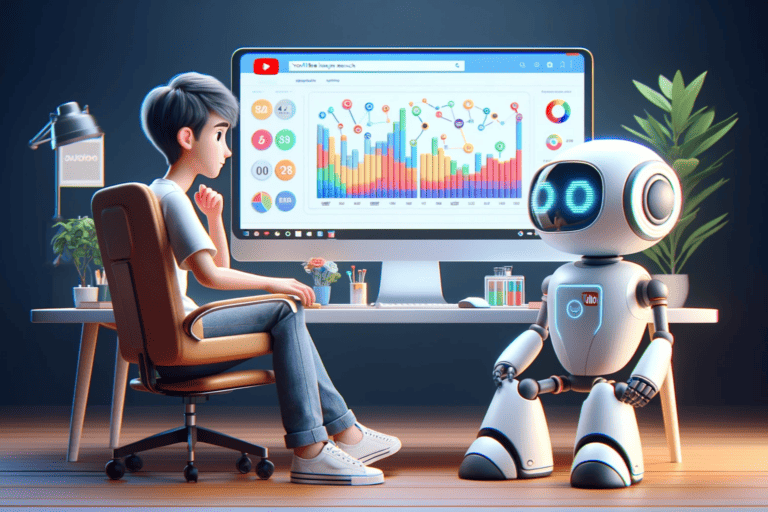
Best AI Editing Tools for Flawless Content Creation
In recent years, artificial intelligence has revolutionized various industries, including that of digital content creation.
AI editing tools leverage advanced algorithms to assist in editing both videos and photos with impressive speed and efficiency.
They simplify complex tasks such as object removal, style transfer, and auto-correction, enabling both professionals and hobbyists to achieve high-quality results without extensive manual effort.

These tools often incorporate machine learning to enhance their capabilities over time, learning from user interactions to provide increasingly accurate and sophisticated edits.
As the technology continues to develop, the range of functionalities expands, making AI a cornerstone in the future of content editing.
Selecting the right AI editing software can be a challenge, given the plethora of options available in the market.
Users must consider factors such as ease of use, feature set, and the level of control over the editing process.
Some tools excel in swift batch-processing and automatic corrections, while others shine with their in-depth customizable settings for more detailed work.
Understanding AI in Video Editing
The integration of artificial intelligence (AI) into video editing is revolutionizing the process, making it more efficient and accessible.
AI video editing tools leverage machine learning to automate and enhance various aspects of the editing process.
Evolution of AI Video Editing Tools
The development of AI in video editing has progressed from simple automation to complex, creative tasks.
Initially, AI tools could perform rudimentary tasks like trimming clips and basic color correction.
Today, they offer advanced functionalities: from object recognition and auto-tagging to generating footage from text prompts.
For example, Runway exemplifies a fully-featured video editor with AI capabilities that can both edit video and create new content based on user input.
Such advancements reflect the growing synergy between technology and creativity, augmenting the role of human editors and empowering them with tools previously unimaginable.
Core Principles of AI in Editing
At the heart of AI video editing lie two core principles: automation and personalization.
Automation uses algorithms to perform repetitive tasks quickly and accurately, like stabilization and audio mixing. This not only saves time but also ensures consistency across the editing workflow.
AI tools such as VEED.io apply machine learning for script generation and auto-transcription, enabling rapid turnarounds on projects.
In contrast, personalization is achieved through machine learning, where AI analyzes past edits to predict and suggest cuts, transitions, and effects tailored to the editor’s style.
This capacity to learn and adapt is a distinctive feature of artificial intelligence in video editing—constantly evolving with each use.
Getting Started with AI Video Editing
Embarking on the journey of AI video editing requires selecting the right tools and understanding the core principles that drive the process.
It’s crucial for beginners to familiarize themselves with the capabilities of AI-powered tools and their role in enhancing video production quality and efficiency.
Choosing the Right AI Editing Software
For those new to AI video editing, the primary step is to identify a platform that aligns with their project demands and skill level.
Options range from user-friendly interfaces like Kapwing, suitable for a variety of AI-powered video editing processes, to more advanced systems that cater to specific components of video production.
The decision should account for factors like budget, available features, ease of use, and the level of automation required.
- Budget: Free tools are available but may have limitations; premium software might be necessary for advanced features.
- Features: Look for AI video editing tools that offer speech-to-text, text-to-speech, or automatic subtitle generation.
- Ease of Use: Select software with an intuitive interface, especially vital for beginners in this space.
- Automation Level: Decide if you require a tool for simple edits or one that can generate complete video content.
Fundamentals of AI Video Editing
AI video editing is grounded in the interplay of algorithms and creativity.
AI tools dramatically streamline the editing process—tasks like transcribing audio to text, generating subtitles, and crafting nuanced edits are now done swiftly.
Platforms such as Synthesia specialize in generating video content, while others provide transcription and automated editing features.
For optimal results, one must understand:
- Editing Workflow: Know the software workflow to leverage AI automation efficiently.
- AI’s Role: Acknowledge how AI complements human editors by performing repetitive tasks, allowing focus on creative aspects.
- Data Input: Ensure high-quality input materials for AI to work effectively, as this impacts the final output.
Key Features of AI Editing Tools
AI video editing tools are revolutionizing content creation by automating intricate editing tasks.
They offer a suite of functions that enhance both the visual and auditory aspects of a video, saving time and enabling creators of all skill levels to produce professional-quality content.
Smart Editing Functions
These tools are equipped with features that make the editing process more efficient.
For instance, auto reframe adapts the aspect ratio of videos to fit different platforms, maintaining the focus on the subject.
Additionally, background removal and auto transitions allow for sleek video composition without manual adjustments.
Stabilization minimizes camera shake, ensuring a smooth final product.
Users also benefit from automatic trimming, which skillfully cuts out unnecessary footage, and transcription services that generate accurate subtitles for enhanced accessibility.
Voice and Audio Enhancements
Enhancing the audio experience is another core capability of AI editing software.
Text-to-speech technology generates natural-sounding voiceovers, making content accessible to a wider audience without the need for recording equipment.
Meanwhile, voice cloning can replicate a particular voice style, adding consistency to the brand’s videos.
AI tools can also clean up audio tracks and include royalty-free music or background music, ensuring the final product is not only visually but also acoustically engaging.
Popular AI Video Editing Platforms
In the rapidly evolving field of video editing, AI video editing platforms are becoming indispensable for professionals and enthusiasts alike, offering powerful features like transcription, motion tracking, and AI-driven content generation.
Descript: Transcription and Editing
Descript stands out for its transcription capabilities, simplifying the editing process by converting speech to text.
Users can easily edit video content by modifying the transcribed text, and the software automatically removes filler words, streamlining the dialogue.
Adobe Premiere Pro and Adobe Sensei
Adobe Premiere Pro is a leader in video editing software, enhanced by Adobe Sensei’s AI technology.
It brings advanced features such as motion tracking and Auto Reframe, which intelligently adjusts the focus on the most important content, adapting videos for different aspect ratios swiftly.
Synthesia: AI Avatars and Video Generation
Synthesia is renowned for its AI avatars and ability to generate videos from text prompts, making video creation accessible for users without traditional video content.
This platform provides customizable avatars, making it a go-to for personalized video experiences.
Other Notable AI Editing Tools
This category includes AI-powered editors like:
- Runway: Boasts a full suite of AI tools and the ability to craft footage from text.
- Kapwing: Offers a robust video editing interface ideal for quick, content creation.
- Pictory: Simplifies turning scripts and articles into engaging videos.
- InVideo: Catering to businesses with a platform for creating professional-quality videos.
- VEED: Known for in-browser editing and features such as auto-transcription and audio cleanup.
- Filmora (Wondershare): A preferred tool for hobbyists and professionals, offering an intuitive design and powerful editing features.
- Lumen5: Helps in transforming text content into video format using AI, widely recommended for ease of use.
- Synthesys: Providing AI video generation tools that cater to various user needs.
Enhancing Creativity and Production
The integration of artificial intelligence in video editing tools has revolutionized the way professionals approach creativity and production.
By leveraging AI, individuals and teams are equipped with sophisticated features that not only streamline workflows but also enhance the creative process.
Templates and Presets
AI video editing software provides an array of templates and presets, shortening the time it takes to achieve professional results.
For instance, Synthesia excels with its avatar-focused approach, offering unique templates that allow users to generate content ranging from subjects to backgrounds and even voices with AI assistance.
Templates serve as a starting point, boosting creativity by offering various stylistic choices and inspirational layouts.
Collaborative Features
Collaboration is paramount in production environments, and AI tools facilitate this by enabling multiple users to work simultaneously on a project.
Adobe Sensei, part of the Creative Cloud suite, enhances team-based projects, allowing real-time editing and feedback mechanisms.
These collaborative features ensure that teams can effectively communicate, make rapid iterations, and maintain consistency across all stages of video production.
Advanced AI Editing Capabilities

Incorporating AI into photo and video editing tools has significantly enhanced the precision and creativity in the digital content creation process.
Advanced AI editing capabilities extend from refining imagery to generating new content with impressive ease and efficiency.
AI-Powered Effects and Finishing
Modern AI photo editing tools apply sophisticated algorithms to automate complex tasks. They can handle object removal, sky replacement, and style transfer.
For instance, tools like Luminar Neo utilize artificial intelligence to analyze images. Then, they apply effects with precision that rivals manual editing. Graphic designers and photographers benefit from reduced editing time while maintaining high-quality output.
Machine Learning and Video Quality
AI video editing software leverages machine learning to improve video quality and create generative video content. Machine learning algorithms train AI models to enhance resolution, stabilize footage, and optimize color grading.
AI-generated videos can now be produced with tools like Runway. These AI video editors continue to evolve, promising enhancements in both efficiency and creative potential.
AI Editing for Social Media and Marketing
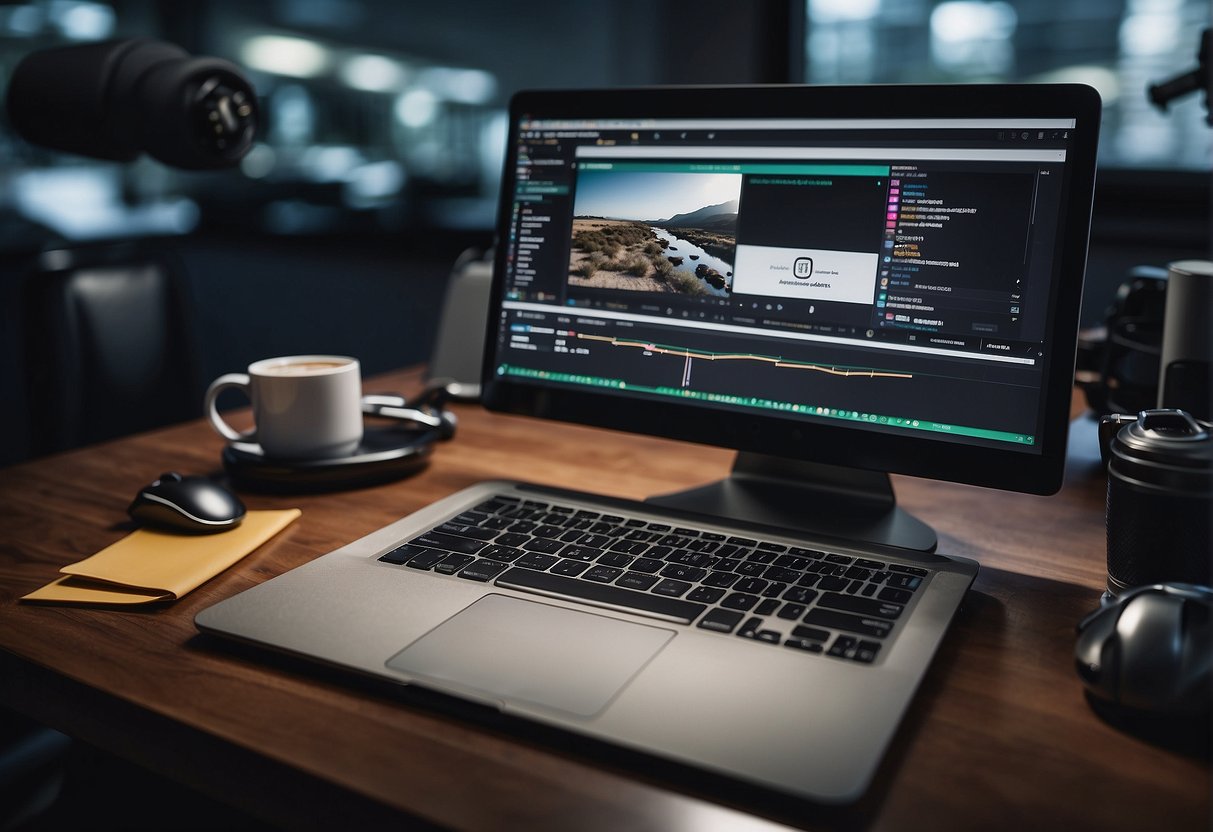
AI editing tools have revolutionized the way marketing content is crafted for social media platforms. They offer brands the ability to create more engaging and optimized content.
Optimizing Videos for Social Platforms
YouTube and other social media platforms prioritize user engagement, making video content critical for a successful marketing strategy.
AI-driven video creation platforms like Lumen5 transform textual content into dynamic videos. These platforms offer various templates, ai-driven storyboarding, and social media integrations to ensure that videos are not only visually appealing but also tailored to the platform’s best practices.
AI Tools for Audience Engagement
Businesses and brands strive to maintain a strong connection with audiences on social media. AI tools such as Brandwatch provide customer intelligence by analyzing data and generating insights to boost engagement.
Voice cloning technology and other AI-powered content creation tools enable brands to maintain a consistent and authentic voice across all social media posts. This enhances overall engagement with their target market.
Maximizing Efficiency with AI Tools
In the realm of media production and content creation, AI tools offer groundbreaking ways to enhance productivity.
These tools not only accelerate the creative process but also simplify complex tasks. This allows creators to deliver high-quality content with remarkable efficiency.
Speeding Up Video Production
In video production, time is often the most valuable resource. AI tools can significantly speed up the editing process by automating repetitive tasks such as trimming filler words and streamlining workflows.
For instance, text-based video editing software employs natural language processing to allow editors to cut and rearrange footage by editing the transcript text. This saves hours of manual labor.
Additionally, smart features like “Smart Cut” can automatically remove pauses and errors, ensuring a seamless narrative flow.
AI for Non-Technical Users
For beginners and non-technical users, AI tools are a boon, simplifying the learning curve of complex editing software.
With a suite of templates and intuitive design, these tools empower anyone to produce professional-grade content. They often include drag-and-drop capabilities and suggest edits, enabling users to produce polished videos without extensive technical know-how.
These AI tools can help even inexperienced users streamline their creative workflows, empowering them to produce content that stands out.
Exploring Business and Industry Applications
In the rapidly evolving business landscape, AI video editing tools are revolutionizing market strategies and operational efficiencies. The adoption of these tools across various industries is resulting in compelling success stories.
AI Video Tools in Different Markets
In today’s market, businesses from the entertainment sector to retail are leveraging AI video editing tools to create high-quality video footage.
For instance, Topaz Video AI transforms raw footage into professional-grade content with features like video upscaling and stabilization. It’s particularly beneficial for the film and advertising industries seeking cinematic quality.
Similarly, the real estate market uses these tools to craft engaging virtual tours, making properties stand out in a crowded marketplace.
- Entertainment: Enhancing visual effects, color correction, and automated editing workflows.
- Retail: Creating dynamic product videos, which can boost conversion rates on e-commerce platforms.
- Real Estate: Assembling immersive virtual property tours, aiding in attracting prospective buyers.
Case Studies of AI Tool Adoption
Several businesses have documented their transition to AI-driven video editing processes, revealing the tangible benefits and streamlined operations.
A notable example can be found through Synthesia, which focuses on avatar-based video generation. Marketing agencies utilize Synthesia to swiftly generate video content with customizable backgrounds and voices. This is done without the need for traditional video shoots, significantly reducing production times and costs.
Moreover, Lumen5 aids in transforming text-based content into engaging videos. This is a boon for businesses looking to repurpose their existing content for social media platforms.
- Marketing Agencies: Speedily creating diverse video content while cutting down on production costs.
- Social Media Managers: Quickly turning blog posts into shareable video content, driving higher engagement on social platforms.
AI Tool Integration and Workflow
The integration of AI tools into video production workflows is transforming the industry, streamlining processes, and enhancing collaboration.
These tools bring a new level of automation and artificial intelligence to the creative realm, significantly altering how projects are approached from ideation to final cut.
Incorporating AI into Existing Workflows
When integrating AI video editing tools into established systems, it’s important to consider compatibility and ease of use.
AI software like Synthesia focuses on novel content generation. It can function alongside traditional editing platforms, minimizing disruption.
This compatibility enables teams to collaborate effectively. AI can be seamlessly incorporated into the stages of production without significant infrastructure changes.
Automation and AI Assistance
AI assistance goes beyond simple task performance, introducing a new dimension of automation that can interpret context and make decisions based on data.
For instance, solutions such as Lumen5 excel at transforming text-based content into compelling videos. They suggest that these tools not only automate but also creatively contribute to the workflow.
Ultimately, such AI technology serves to enhance the production process. It allows creative professionals to focus on storytelling and aesthetics, while repeating tasks and technical adjustments are handled by the technology.
Challenges and Considerations
In the expanding realm of AI editing tools, professionals need to navigate a landscape of potential pitfalls and moral implications. Mere proficiency isn’t sufficient; there’s a need for consistent vigilance and ethical decision-making.
Overcoming the Uncanny Valley
The uncanny valley is a notable hurdle in the creation of AI avatars and realistic digital entities. As artificial intelligence edges closer to replicating human likeness, the subtle imperfections can evoke discomfort or eerie feelings among viewers.
To mitigate this, developers must:
- Refine AI algorithms for greater realism
- Conduct extensive user testing to assess comfort levels
Ethical Aspects of AI Editing
The deployment of AI in editing raises ethical concerns, such as:
- Ensuring transparency about the use of AI-generated content
- Respecting intellectual property and avoiding plagiarism
The ethics of AI editing must be addressed by:
- Establishing clear guidelines for AI use
- Upholding accountability in AI-generated outcomes
Future Trends in AI Video Editing
The landscape of AI video editing is continuously advancing. Industry professionals anticipate a surge in generative AI technology, allowing creators to generate new video footage from simple text prompts.
Tools such as Runway demonstrate this capability by creating usable clips from textual descriptions. They are expected to become more sophisticated, providing an even broader array of possibilities for visual storytelling.
Speech-to-text and text-to-speech technologies are refining the ease of creating subtitles and voiceovers with AI tools mentioned by Shotkit. These advancements promise to enhance accessibility and global reach for video content.
The integration of AI in video animations is streamlining the production process, as seen with platforms such as Rawshorts.
AI’s ability to automate animation could democratize the creation process, making it more accessible to a wider audience with varying skill levels.
In terms of editing, machine learning algorithms are improving at a remarkable pace. This allows AI tools to suggest edits, manage color correction, and sort footage efficiently.
This trend signifies a shift towards more intuitive and time-saving workflows in video editing. It offers professionals and hobbyists alike high-quality results with less effort.
The future also holds potential for AI to personalize video content for viewers in real-time. This would revolutionize how audiences consume media.
Resources and Further Learning
For anyone seeking to enhance their skills with AI video editing tools, online resources are abundant. They offer a variety of tutorials and community support networks.
Tutorials and Online Courses
A multitude of online tutorials are available to help users gain practical knowledge of AI video editing software.
These tutorials often range from basic interface navigation to advanced editing techniques. For structured learning, online courses provide comprehensive training modules, often accompanied by assignments and feedback, to ensure a deep understanding of the tools and practices.
Websites like Kapwing and Pixpa host educational content and ranked reviews to guide users through learning new software.
Community and Support
Engagement with an online community can offer invaluable peer-to-peer assistance and the sharing of knowledge.
Many AI video editing tool providers foster user groups on platforms like Reddit or their own forums. Experienced users can offer tips and support to newcomers.
Additionally, online forums hosted by software providers or independent sites can be a respite for those encountering technical issues, seeking advice, or discussing industry trends.
The presence of an active support network ensures that users can troubleshoot problems and gain insights that can greatly enrich their editing experience.
Frequently Asked Questions
In this section, we explore common inquiries surrounding the AI editing tools landscape, from top applications suited to desktop users to the comparison of AI’s editing prowess with that of human professionals.
What are the top AI photo editing applications for desktop users?
Desktop users can experience robust features with Adobe Photoshop and Luminar Neo. Both are known for their advanced AI-driven capabilities that cater to both amateur and professional photo editing needs.
How do AI video editing tools enhance the editing process?
AI video editing tools streamline the editing process by automating tasks such as content analysis and scene detection.
Lumen5 exemplifies this with its ability to convert text to engaging video content, reducing the time and effort required by the user.
Which free AI editing software offers the most features?
Users seeking a free solution with an extensive feature set may turn to tools like Kapwing. It offers various AI-powered functionalities including text-based video editing and AI image generators without any financial commitment.
What are the leading AI photo editing apps for mobile devices?
On mobile platforms, applications like Adobe Photoshop Express provide powerful AI editing tools. These are adapted for on-the-go use, ensuring professional-quality photo edits directly from their devices.
What online AI photo editor provides the best user experience?
For optimal user experience in online AI photo editing, platforms like Pixlr lead the charge. They offer intuitive interfaces and rich editing features accessible through web browsers.
Can AI video editors match the capabilities of professional human editors?
AI video editors are rapidly advancing. They incorporate technologies like Wisecut for automated editing and voiceovers.
However, they complement rather than replace the expertise and creative instinct of professional human editors. This is especially true in complex projects requiring nuanced storytelling.